
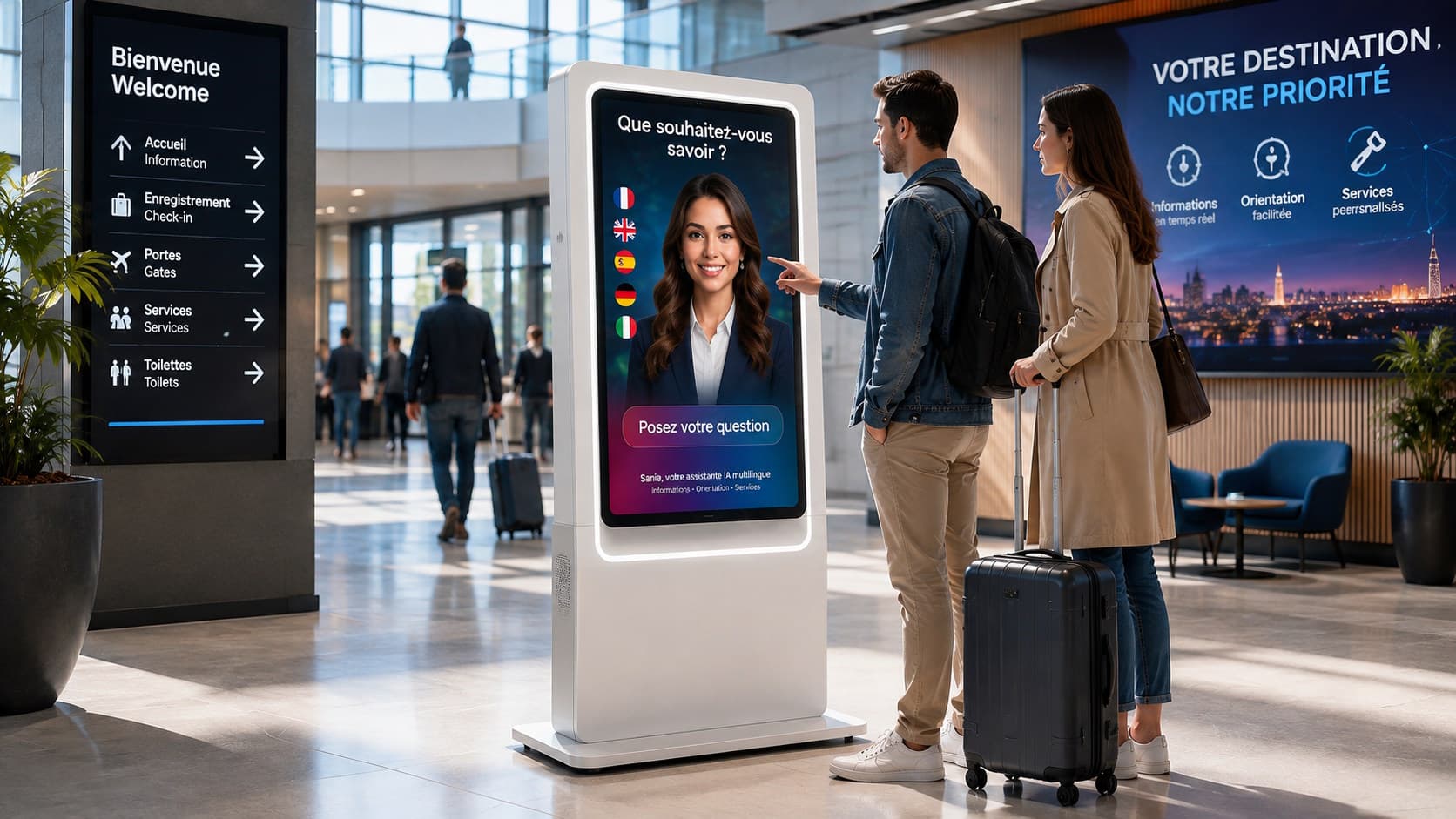
Introduction
When an organization plans to install a reception AI avatar on a screen or kiosk, the choice of interaction mode is central. Voice interaction, touch interface or a combination of both directly affect accessibility, visitor perception, the relevance of answers and operational maintenance. This article helps make a pragmatic decision by comparing technical criteria, user expectations and operational constraints.
Why this choice is strategic
The interaction mode shapes the visitor's immediate experience. Voice promotes a natural, hands-free interaction, useful for quick exchanges or when the user is on the move. Touch provides more visual control and guides precise flows, useful for structured interactions or when the sound environment is unfavorable.
Beyond user experience, this choice has operational consequences: hardware configuration, acoustic constraints, maintenance procedures, and internal privacy rules. Considering interaction early allows defining priority scenarios and preparing the appropriate knowledge base.
Practical criteria to evaluate before deciding
1) The physical environment: the venue's acoustics are decisive. Noisy halls or high-traffic areas reduce the effectiveness of voice interaction. Conversely, quiet or semi-enclosed spaces favor the quality of spoken exchanges.
2) User profile: age, language, familiarity with screens and voice affect the decision. Some visitors prefer typing through a menu, others favor the simplicity of asking a question aloud. In tourist locations, multilingual support and the ability to recognize multiple languages are factors to consider.
3) Priority use cases: for open-ended requests (for example general questions), voice can make the interaction smoother. For guided flows or steps requiring a visual selection, touch is often preferable.
4) Privacy and intimacy: using voice can raise confidentiality concerns in sensitive situations. It is useful to anticipate which types of responses should be limited and to prepare informational messages about microphone use according to the configuration chosen by the organization. Any data collection or recording must be decided separately and comply with applicable internal rules, and must not be presumed by default in the avatar AI solution itself.
Advantages and limits of voice interaction
Voice interaction brings the interface closer to a natural conversation and can reduce friction for open questions. It facilitates access for people with motor difficulties or for those carrying items who cannot touch a screen. In addition, voice can sometimes accelerate obtaining information without navigating menus.
However, voice heavily depends on acoustic conditions and microphone quality. Accents, ambient noise and lexical confusions can reduce the perceived accuracy of the response. Moreover, in places where confidentiality is important, voice use requires editorial precautions to avoid exposing sensitive information near other people.
Advantages and limits of the touch interface
Touch provides a visual, structured framework: menus, buttons and displayed content help users orient themselves. For sequential tasks (booking a service via an external site, checking timetables, selecting sections), touch can make the interaction more robust and predictable.
Its limits relate to accessibility for some audiences (visually impaired people, reduced mobility) and to the need for cleaning and maintaining touch surfaces. In addition, touch often requires designing clear visual interfaces adapted to viewing distance and legibility from the screen's placement.
When to favor a hybrid solution
A combination of voice and touch is often the best answer when audiences and uses are varied. In a train station, museum or shopping center, some visitors will ask a quick question aloud while others prefer to navigate a menu to get a timetable or structured information.
The hybrid solution can offer a multimodal journey: start by voice for an initial contact then switch to visual elements if the interaction becomes more detailed. It is nevertheless necessary to clearly plan transitions and test the experience's coherence to avoid breaks.
Scenario 1: quick voice welcome + visual display of options to go deeper
Scenario 2: main touch menu with a “ask a question” button to activate the microphone
Scenario 3: voice by default in quiet zones, touch by default in noisy areas
Practical testing method before deployment
Testing interaction modes in real conditions is essential. Start by defining a few representative situations: a rushed visitor, a foreign family, a person with reduced mobility, a noisy situation. For each situation, evaluate perceived effectiveness, understanding of requests and the avatar's ability to provide satisfactory information.
During tests, document points where the user abandons, reformulates their question or switches mode (from voice to touch or vice versa). This qualitative observation will help adjust the interface, help messages and the structure of responses. The frequency and diversity of tests should match the venue's footfall and the chosen use cases.
Common mistakes and watch points
Confusing technical comfort with real adoption. A technically effective voice option may remain little used if visitors do not perceive it as useful or if the sound context makes it uncomfortable.
Overcomplicating the hybrid interface without clearly guiding the user to the next action. Transitions between voice and touch must be explicit to avoid confusion.
Neglecting prior information to visitors. Clearly indicating how to interact, which languages are available and whether the microphone is active helps reduce hesitation.
Operational checklist before commissioning
Before launch, validate with local teams that the installation meets identified constraints and that priority scenarios are covered. Ensure the availability of content suited to each interaction mode and prepare fallback messages if comprehension fails.
Check acoustics and microphone placement according to the chosen location
Validate visual element legibility based on expected usage distance
Draft welcome messages that clearly direct toward voice or touch
Provide visible indications of supported languages
Organize a user testing phase in real conditions
Selective FAQ
Q: Is voice interaction suitable for all public places?
A: No. Its suitability depends on acoustics, the level of confidentiality expected and user profiles. A site-by-site evaluation is recommended to decide whether voice should be prioritized.
Q: Do we need to translate the entire knowledge base to enable multilingual voice?
A: SANIA can communicate in more than 100 languages. Response quality however depends on the availability and currency of business information. It is useful to prioritize languages that are truly relevant to the audience and to ensure the quality of supplied content.
Conclusion
The choice between voice, touch or hybrid interaction depends on a range of factors: physical environment, target audiences, use cases and operational constraints. A pragmatic approach is to define priority scenarios, test modes in real conditions and plan a multimodal experience when audiences are heterogeneous. SANIA can be configured to operate with voice interaction and a touch interface according to the chosen configuration, and to communicate in more than 100 languages. To assess how these options could fit your venue and objectives, you can request a demonstration of SANIA.